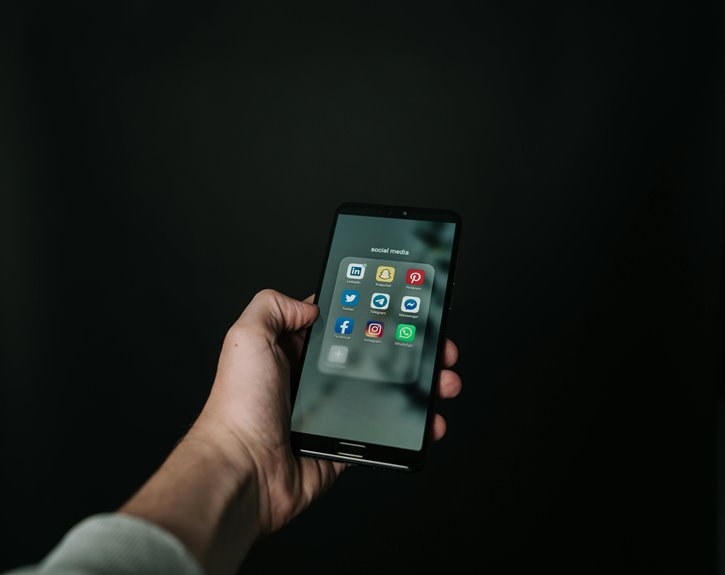
To limit social media distractions, you can try apps like Freedom, which blocks websites and apps, or Forest, where you grow virtual trees while focusing. StayFocused customizes your browsing experience, while Cold Turkey takes a strict approach by blocking distractions entirely. RescueTime analyzes your usage to help optimize productivity, and Moment tracks your phone time. Flipd locks your phone for focused sessions. Want to discover more about these helpful tools? Keep going!
Key Takeaways
- Freedom effectively blocks distracting websites and apps across devices, offering customizable block lists and scheduling options for focused work sessions.
- Forest gamifies focus time by allowing users to grow virtual trees while they work, promoting productivity and real-world tree planting.
- StayFocused enables users to customize their browsing experience by limiting time on distracting websites and providing insights into their usage habits.
- Cold Turkey enforces strict website and app blocking with a locked mode, making it difficult to turn off during designated focus periods.
- RescueTime tracks screen time and usage habits, offering analytics and focus sessions to help optimize productivity and manage time effectively.
Freedom: Block Distracting Websites and Apps
If you're struggling to focus because of constant social media interruptions, Freedom might be the solution you need. This powerful app lets you block distracting websites and apps across all your devices.
You can customize your block lists, ensuring that the platforms you find most tempting are out of reach when you need to concentrate.
With Freedom, you can schedule sessions in advance or start them on-the-fly. This flexibility allows you to create a routine that suits your workflow.
Freedom offers the ability to schedule focus sessions or start them instantly, helping you tailor your productivity routine.
Plus, you can even sync your blocks across devices, so distractions won't sneak in whether you're on your laptop or phone.
Forest: Stay Focused While Growing Virtual Trees
With Forest, you can turn your focus time into a fun game. As you concentrate on tasks, you'll grow virtual trees that symbolize your productivity, giving you a sense of accomplishment.
Plus, you'll earn rewards that contribute to real tree planting, making your focus not just productive, but environmentally impactful.
Gamified Focus Experience
How can turning focus into a game make it easier to stay on track? By gamifying your productivity, you create a sense of accomplishment and motivation. With apps like Forest, each focused session helps you grow virtual trees, turning concentration into a rewarding experience. You'll find that the playful element keeps distractions at bay.
Here's a quick look at the features of this gamified focus experience:
| Feature | Description | Benefit |
|---|---|---|
| Virtual Trees | Grow trees while you work | Visual representation of focus |
| Timer | Set work sessions and breaks | Encourages time management |
| Rewards System | Earn points for staying focused | Motivates consistent use |
Using these elements, you can enhance your productivity while enjoying the process.
Tree Planting Rewards
Forest makes staying focused rewarding by allowing you to earn tree planting rewards for your concentration efforts. Every minute you resist distractions, you nurture a virtual tree that contributes to your personal forest.
This gamified approach not only boosts your productivity but also cultivates a sense of accomplishment. As you complete focus sessions, you can use the virtual currency earned to plant real trees through partner organizations.
Imagine knowing your dedication to staying focused is contributing to a greener planet. Plus, you'll enjoy the visual satisfaction of watching your forest grow!
With Forest, you're not just managing your time better; you're making a positive impact on the environment while enhancing your focus. It's a win-win situation!
StayFocused: Customize Your Browsing Experience
StayFocused offers a powerful way to customize your browsing experience and regain control over your online time. With this browser extension, you can set limits on how long you spend on distracting websites. You can block specific sites entirely or restrict access after a predetermined time. This lets you focus on what truly matters.
You'll appreciate the option to create work sessions, where you can allow certain sites while blocking others. Plus, it provides insights into your browsing habits, helping you identify time-wasting patterns.
Cold Turkey: Take a Hardline Approach to Distractions
If you're serious about eliminating distractions, Cold Turkey might be the solution you need. This app takes a no-nonsense approach, allowing you to block websites and apps for set periods, making it harder to slip back into old habits.
You can design a focused work environment that encourages productivity without any loopholes.
Here are some key features:
- Customizable Block Lists: Choose which sites and apps to block.
- Scheduled Breaks: Plan your distractions with timed breaks.
- Locked Mode: Once activated, you can't turn it off until the timer ends.
- Progress Tracking: Monitor your productivity over time.
With Cold Turkey, you'll find it easier to stay on task and minimize interruptions.
RescueTime: Analyze and Optimize Your Screen Time
While Cold Turkey helps you enforce strict boundaries against distractions, RescueTime takes a more analytical approach to your screen time. This app tracks how you spend your time on various applications and websites, providing you with detailed reports. You'll gain insights into your habits, making it easier to identify areas for improvement.
Here's a quick overview of RescueTime's features:
| Feature | Description |
|---|---|
| Time Tracking | Monitors how much time you spend on apps |
| Goal Setting | Allows you to set productivity goals |
| Detailed Reports | Generates weekly insights on your usage |
| Focus Sessions | Helps you concentrate by blocking distractions |
With RescueTime, you can optimize your digital life and reclaim focus!
Moment: Track and Limit Your Phone Usage
Moment makes it easy to track and limit your phone usage, empowering you to take control of your digital habits.
Take charge of your digital habits with Moment, the app designed to help you track and limit phone usage.
With this app, you can gain insights into how much time you spend on your device and identify your biggest distractions.
Here's what Moment offers:
- Daily Usage Reports: See how many hours you spend on your phone each day.
- Usage Goals: Set limits for daily usage to encourage healthier habits.
- Family Tracking: Monitor your family's phone usage to promote balanced screen time.
- Mindful Alerts: Receive reminders when you exceed your usage goals, nudging you to take a break.
Flipd: Lock Your Phone for Focused Sessions
With Flipd, you can lock your phone to eliminate distractions and boost your focus.
The app offers customizable session options, so you can tailor your locked periods to fit your needs.
Whether you need a quick break or an extended work session, Flipd helps you stay on track.
Phone Locking Features
When you find it hard to resist the pull of your phone, Flipd offers a simple yet effective solution to lock distractions away. This app helps you take control of your focus by locking your phone for dedicated time periods.
Here's what makes Flipd's phone locking features stand out:
- Full Lock Mode: Completely disables access to apps, keeping you focused.
- Session Tracking: Monitors your locked sessions to help you stay accountable.
- Customizable Lock Durations: Choose how long you want to be distraction-free.
- Motivational Reminders: Encourages you to stay on track with timely notifications.
With Flipd, you can reclaim your time and boost your productivity, one locked session at a time.
Session Customization Options
By customizing your session lengths in Flipd, you can tailor your focus periods to fit your unique needs and schedule.
Whether you prefer short bursts of intense focus or longer, uninterrupted sessions, Flipd lets you set the duration that works best for you. You can choose from pre-set options or create your own, allowing you to adapt your work style as needed.
This flexibility helps you maintain motivation and productivity without feeling overwhelmed. Plus, you can easily track your progress, making it simple to adjust your sessions based on what you find most effective.
With Flipd, you're in control, ensuring that your time spent away from social media is truly productive.
Frequently Asked Questions
Can These Apps Be Used on Multiple Devices Simultaneously?
Yes, many of these apps allow you to use them on multiple devices simultaneously. You can sync your settings and progress across your phone, tablet, and computer, making it easier to stay focused anywhere.
Are These Apps Available for Both Ios and Android Platforms?
Yes, most of these apps are available on both iOS and Android platforms. You can easily download them on your preferred device, ensuring you can manage your social media distractions no matter which system you use.
Do These Apps Require a Subscription or Are They Free?
Many of these apps offer both free versions and subscription options. You can try them out without any cost initially, but some features may require a subscription for full access. It's worth exploring your choices!
How Do These Apps Handle Notifications From Social Media?
These apps typically allow you to customize notifications, enabling you to silence or limit alerts from social media. You can focus better on your tasks without constant interruptions, making it easier to stay productive.
Can I Customize the Blocking Duration on These Apps?
Yes, you can customize the blocking duration on many of these apps. They often allow you to set specific time frames, so you can tailor the interruptions to fit your daily routine and focus better.