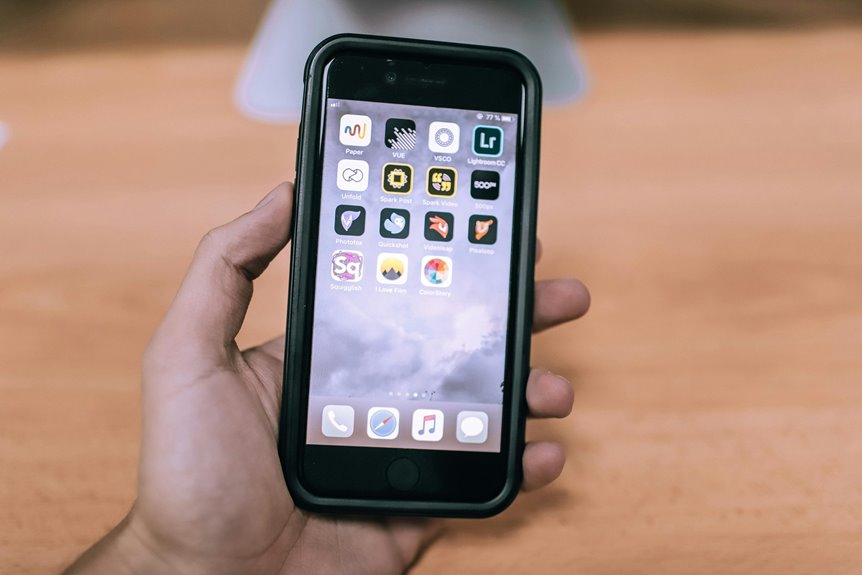
When designing mobile versions of remote work apps, you need to focus on user needs and the context in which they’ll be used. Simplifying navigation and ensuring intuitive interfaces can make a significant difference for users on the go. Don’t forget about performance and robust communication features, either. As you explore these aspects, consider how adaptability across devices plays a role in user experience. What challenges might you face in this process?
Key Takeaways
- Design intuitive navigation that accommodates users on-the-go, minimizing distractions and allowing quick access to essential features.
- Optimize performance for mobile devices by reducing load times and file sizes, ensuring a smooth user experience under varying network conditions.
- Implement robust communication tools like real-time messaging and video conferencing to facilitate effective collaboration among remote teams.
- Simplify interfaces by prioritizing essential features and using icons to enhance comprehension without overwhelming users with excessive options.
- Regularly gather user feedback through in-app surveys to identify pain points and continuously improve the app’s functionality and user experience.
Understanding User Needs and Context
Understanding user needs and context is essential when designing mobile work apps. You need to identify who your users are and what challenges they face in their daily tasks.
Think about where they’ll be using the app—are they on-the-go, in a quiet office, or at home? Consider their technical skills and preferences; not all users are tech-savvy.
Gather feedback through surveys or interviews to uncover pain points and desired features. Observe how users interact with their current tools to gain insights into their workflow.
By deeply understanding their context, you’ll create an app that not only meets their needs but also enhances their productivity and satisfaction.
Prioritize empathy in your design process, and your users will thank you for it.
Simplifying Navigation and Interfaces
When designing mobile work apps, simplifying navigation and interfaces is key to enhancing user experience.
You’ll want to focus on streamlined menu designs, touchscreen-friendly elements, and intuitive gesture controls.
These features can make your app more accessible and enjoyable to use.
Streamlined Menu Design
In mobile work apps, a well-designed menu can make all the difference in user experience. To guarantee smooth navigation, focus on simplicity and clarity. Prioritize essential features and group related options together. This way, you’ll help users find what they need quickly without feeling overwhelmed.
Consider using icons alongside text to enhance comprehension and reduce clutter. Limit the number of menu items to avoid decision fatigue and keep users engaged. A collapsible menu can also save screen space, allowing easy access while maintaining a clean appearance.
Test your menu design with real users to identify pain points and areas for improvement. Remember, a streamlined menu isn’t just about aesthetics; it’s about creating a seamless workflow that empowers users to accomplish their tasks efficiently.
Touchscreen-Friendly Elements
A streamlined menu sets the stage for effective navigation, but touchscreen-friendly elements play a vital role in enhancing user interaction.
To maximize usability, guarantee buttons are large enough for easy tapping and spaced adequately to prevent accidental selections. Use clear, recognizable icons that convey their purpose at a glance, making navigation intuitive.
Incorporate swipeable cards or panels that allow you to quickly browse through content without excessive scrolling. Implement visual feedback, like color changes or animations, to confirm your actions.
Avoid cluttering the screen with too many elements, as this can overwhelm you. Prioritize essential features and maintain a clean layout to enhance focus and efficiency.
These considerations create a seamless experience tailored for mobile users.
Intuitive Gesture Controls
Intuitive gesture controls can transform how you navigate mobile work apps, making interactions feel natural and fluid. By incorporating gestures like swipes, pinches, and taps, you streamline your experience, allowing for quicker access to essential functions.
This not only enhances usability but also creates a more engaging interface that keeps you focused on your tasks.
- Feel empowered as you effortlessly switch between apps.
- Experience the satisfaction of quick, seamless navigation.
- Enjoy a sense of control over your workspace.
- Discover a more immersive way to collaborate with your team.
With well-designed gesture controls, you can turn daily tasks into intuitive experiences that boost your productivity and make remote work a breeze.
Prioritizing Performance and Load Times
When designing mobile work apps, prioritizing performance and load times is vital for maintaining user engagement. Users expect instant access to information, and delays can lead to frustration and abandonment.
To enhance performance, optimize your app’s code and assets, reducing file sizes and minimizing unnecessary features. Utilize lazy loading techniques to guarantee only essential elements load initially, speeding up the user experience.
Testing your app under different network conditions can help identify performance bottlenecks. Tools like performance profilers enable you to monitor load times and make necessary adjustments.
Ensuring Robust Communication Features
When you’re using mobile work apps, effective communication is key to collaboration.
Integrating real-time messaging and video conferencing capabilities can greatly enhance your team’s interaction.
Let’s explore how these features can transform your workflow.
Real-time Messaging Integration
Effective communication is essential in mobile work apps, especially as teams increasingly rely on real-time messaging to collaborate seamlessly.
You need a messaging feature that’s intuitive and reliable to keep everyone connected, no matter where they are. A robust messaging system fosters collaboration and boosts morale by ensuring timely exchanges and reducing misunderstandings.
Consider these key elements:
- Instant notifications keep you in the loop without delay.
- Group chat functionality allows for inclusive discussions.
- File sharing enables quick access to important documents.
- Emoji and GIF support adds a personal touch, making interactions more engaging.
Video Conferencing Capabilities
Video conferencing capabilities are essential for maintaining strong communication in mobile work apps, especially as remote collaboration becomes the norm. You need features that guarantee seamless connectivity, like high-quality audio and video, screen sharing, and chat options. Look for apps that allow easy scheduling and notifications to keep everyone in the loop.
Here’s a quick comparison of key features to evaluate:
| Feature | Importance |
|---|---|
| High-Quality Video | Enhances clarity in meetings |
| Screen Sharing | Facilitates collaboration |
| Chat Integration | Supports real-time communication |
| Recording Options | Allows for later review |
Implementing Adaptable Design for Various Devices
As you design mobile work apps, implementing adaptable design is essential to guarantee a seamless user experience across various devices. Your users expect your app to function smoothly, whether they’re on a smartphone, tablet, or desktop.
By focusing on adaptable design, you can ascertain that users feel empowered and engaged.
- Users want to feel in control of their tasks, not frustrated by technical limitations.
- A consistent experience builds trust and encourages regular use.
- Tailored interfaces can make users feel valued and understood.
- When your app adapts to their needs, it fosters loyalty and satisfaction.
Ultimately, adaptable design transforms your app into a powerful tool for productivity, helping users thrive in their remote work environments.
Gathering Feedback for Continuous Improvement
While you might think your app design is perfect, gathering feedback from users is essential for continuous improvement. Engaging with your users helps you uncover pain points and areas for enhancement.
Use surveys, in-app feedback options, or social media polls to collect their thoughts. Encourage users to share their experiences—what they love and what frustrates them.
Analyze this feedback regularly to identify trends and prioritize updates. Don’t forget to follow up with users after implementing changes; let them know their voices matter. This not only builds trust but also fosters a community around your app.
Frequently Asked Questions
How Do I Choose the Right Remote Work App for My Team?
To choose the right remote work app for your team, assess your team’s specific needs, consider user-friendliness, and evaluate features like communication, collaboration, and integration. Test a few options before making a final decision.
What Accessibility Features Should Be Included in Mobile Apps?
When designing mobile apps, you should include features like voice commands, screen readers, adjustable text sizes, and color contrast options. These elements guarantee everyone can access and use the app effectively, enhancing their overall experience.
How Can I Ensure Data Security in Remote Work Apps?
To guarantee data security in remote work apps, you should implement strong encryption, enable two-factor authentication, regularly update software, and educate users on phishing threats. These steps will considerably reduce vulnerabilities and protect sensitive information.
What Are Common Pitfalls to Avoid in Mobile UX Design?
When designing mobile UX, you should avoid cluttered interfaces, slow load times, and inconsistent navigation. Don’t overlook accessibility or ignore user feedback; these pitfalls can frustrate users and diminish their overall experience with your app.
How Do I Measure the Effectiveness of a Remote Work App?
To measure your remote work app’s effectiveness, track user engagement, gather feedback, analyze usage patterns, and assess productivity improvements. Regularly review these metrics to identify strengths and weaknesses, ensuring continuous improvement and user satisfaction.