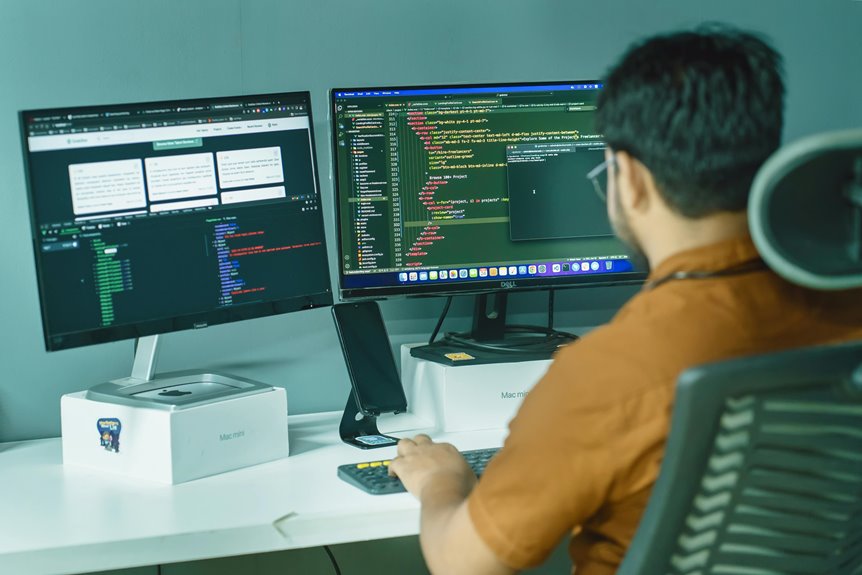
Switching to a standing workstation can revolutionize your remote work experience. It improves your posture and spinal health by promoting better alignment, while also boosting your energy levels and reducing fatigue. You’ll find enhanced focus and productivity, allowing you to tackle complex tasks with ease. Plus, standing reduces the risk of chronic health issues linked to prolonged sitting. You’ll enjoy a more customized workspace that meets your needs. Discover more about these benefits and how to implement them effectively.
Key Takeaways
- Improved posture and spinal health through better body alignment reduces discomfort and strain from prolonged sitting.
- Increased energy levels and reduced fatigue enhance engagement and productivity during remote work tasks.
- Enhanced focus and mental alertness help remote workers concentrate on complex projects without experiencing sluggishness.
- Lower risk of chronic health issues, such as heart disease, supports long-term wellness for remote workers.
- Flexibility and customization options allow for personalized comfort, adapting to individual needs throughout the workday.
Improved Posture and Spinal Health
When you switch to a standing workstation, you can experience significant improvements in your posture and spinal health.
Standing encourages you to align your body better, reducing the tendency to slouch. Your spine benefits from this alignment, as it maintains its natural curvature, which is essential for overall back health.
You’ll notice that your shoulders relax, and your neck stays in a more neutral position, reducing strain. Standing also encourages you to engage your core muscles, which helps support your spine even further.
This active stance can alleviate common discomforts associated with prolonged sitting, like lower back pain.
Increased Energy Levels and Reduced Fatigue
Many remote workers find that switching to a standing workstation can greatly boost energy levels and reduce fatigue throughout the day.
When you stand while working, your blood circulation improves, delivering more oxygen and nutrients to your muscles and brain. This increased blood flow helps you feel more alert and engaged with your tasks.
Additionally, standing can prevent the sluggishness that often comes with prolonged sitting, allowing you to maintain a more active mindset. You’ll likely notice a decrease in the afternoon slump, making it easier to stay productive.
By integrating movement and posture changes throughout your workday, you can combat tiredness and enjoy a more invigorated work experience.
Embrace the shift, and you may just feel more energized and motivated.
Enhanced Focus and Productivity
Boosting energy levels and reducing fatigue naturally leads to enhanced focus and productivity. When you stand while working, your body stays engaged, keeping your mind alert and ready to tackle tasks.
Standing while working boosts energy, reduces fatigue, and keeps your mind alert and focused on tasks.
You’ll find it easier to concentrate on complex projects or brainstorming sessions without the sluggishness that often comes from sitting for long periods.
A standing workstation encourages better posture, which can enhance your cognitive function. Plus, the increased blood flow helps deliver oxygen to your brain, sharpening your focus.
You’ll likely notice fewer distractions and a greater ability to dive deep into your work. As a remote worker, this heightened state of productivity can transform your day, allowing you to accomplish more in less time while feeling energized and motivated.
Lower Risk of Chronic Health Issues
Although sitting may seem comfortable, it can lead to various chronic health issues over time. By using a standing workstation, you can markedly lower your risk for these conditions.
Here are some key benefits:
- Reduced Risk of Obesity: Standing burns more calories compared to sitting, helping you maintain a healthy weight.
- Lower Blood Sugar Levels: Alternating between sitting and standing can help mitigate blood sugar spikes, especially after meals.
- Decreased Risk of Heart Disease: Prolonged sitting is linked to heart issues; standing promotes better cardiovascular health.
- Improved Posture: Standing encourages better alignment and reduces the risk of developing back and neck pain.
Making the switch to a standing workstation can be a proactive step toward a healthier lifestyle.
Flexibility and Customization for Individual Needs
In addition to the health benefits, standing workstations offer flexibility and customization that cater to individual needs.
You can easily adjust the height to fit your body, ensuring comfort while you work. Many models come with programmable settings, allowing you to switch between sitting and standing positions at the push of a button.
Easily adjust your workstation’s height for optimal comfort, and switch between sitting and standing with just a button press.
This adaptability helps you maintain focus and productivity throughout the day. Plus, you can personalize your workspace with accessories like anti-fatigue mats, monitor risers, and ergonomic keyboard trays, making your setup truly yours.
By aligning your workstation with your unique preferences, you’ll create an environment that supports your work style and promotes overall well-being.
Enjoy the freedom to tailor your space for maximum efficiency and comfort!
Frequently Asked Questions
How Much Should I Alternate Between Sitting and Standing?
You should aim to alternate between sitting and standing every 30 to 60 minutes. Listen to your body; if you start feeling fatigued or uncomfortable, it’s time to switch positions for better comfort and productivity.
Can a Standing Workstation Lead to Leg or Foot Pain?
Yes, a standing workstation can lead to leg or foot pain if you stand for too long without breaks. You should alternate positions, wear supportive footwear, and incorporate movement to reduce discomfort and prevent strain.
What Accessories Enhance a Standing Workstation Experience?
To enhance your standing workstation experience, consider using an anti-fatigue mat for comfort, an adjustable monitor stand for ideal screen height, and ergonomic accessories like a footrest or keyboard tray to improve posture and reduce strain.
Are There Specific Standing Desk Exercises to Consider?
You can incorporate exercises like calf raises, desk push-ups, and gentle stretches while using a standing desk. These movements help maintain energy, improve circulation, and reduce fatigue, keeping you focused and productive throughout the day.
How Do I Choose the Right Standing Desk Height?
To choose the right standing desk height, adjust it so your elbows are at a 90-degree angle and your screen’s at eye level. This guarantees comfort and reduces strain while you work.