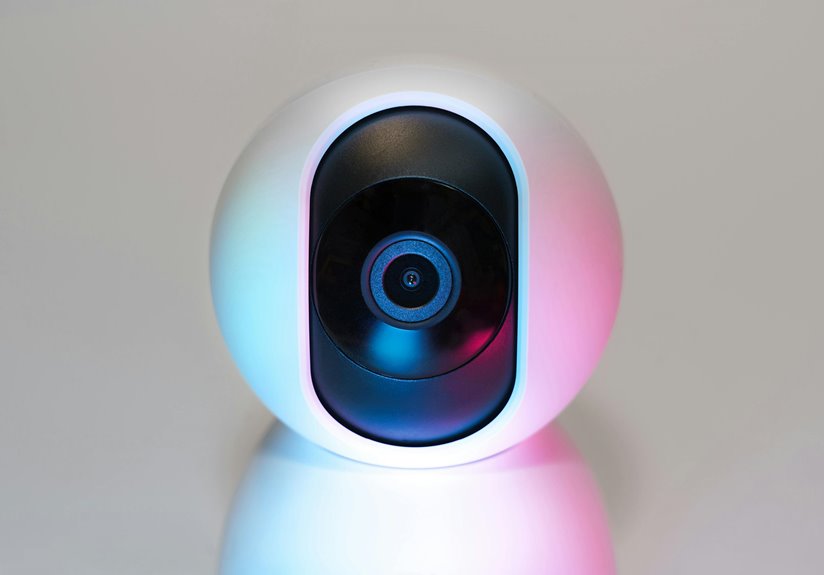
Webcam security is essential for freelancers because unauthorized access can lead to serious privacy breaches and harm your professional reputation. Cybercriminals often target freelancers, exploiting vulnerabilities through hacking, malware, and phishing scams. An invasion of your webcam can have emotional ramifications and spark identity theft concerns. By establishing solid security practices, you can protect yourself and your work. Learn what proactive steps you can take to enhance your webcam safety and overall cybersecurity.
Key Takeaways
- Freelancers often handle sensitive client data, making their webcams prime targets for cybercriminals seeking unauthorized access.
- Unauthorized webcam access can lead to serious privacy breaches, affecting both personal and professional reputations.
- Many freelancers work in public spaces, increasing the risk of interception on unsecured Wi-Fi networks that can compromise webcam security.
- Invasion of privacy through webcam hacking can result in emotional distress and potential identity theft for freelancers.
- Implementing webcam security measures, like covering the camera when not in use, is crucial for protecting against various cyber threats.
The Increasing Risk of Cyber Threats for Freelancers
As remote work becomes more common, the risk of cyber threats for freelancers is rising considerably. You’re not just managing projects; you’re also guarding sensitive data and client information.
Cybercriminals target freelancers, knowing they often lack robust security measures. Each time you connect to the internet, you expose yourself to potential attacks, from phishing scams to malware.
Freelancers are prime targets for cybercriminals, often lacking the security measures needed to protect against phishing and malware attacks.
You might think your work is low-risk, but even a simple mistake, like clicking a malicious link, can lead to significant repercussions. Protecting your devices and data should be a top priority.
Use strong passwords, update your software regularly, and consider using a VPN. Being proactive about your cybersecurity can help you stay one step ahead of potential threats.
Understanding Webcam Vulnerabilities
When you’re working remotely, your webcam can be a gateway for unwanted intrusions.
It’s essential to recognize common threats and the privacy risks they pose to you as a freelancer. Understanding these vulnerabilities can help you take the necessary steps to protect your personal space and sensitive information.
Common Webcam Threats
While you might think your webcam is a harmless tool for video calls, it can actually be a gateway for various security threats.
Here are some common threats you should be aware of:
- Hacking: Cybercriminals can exploit vulnerabilities to gain unauthorized access to your webcam.
- Malware: Malicious software can infect your device, allowing attackers to control your camera without your knowledge.
- Phishing: Scammers may trick you into revealing sensitive information through fake video calls.
- Unsecured Networks: Using public Wi-Fi can expose your webcam to interception and spying.
Being aware of these threats is crucial for protecting yourself and your work.
Always take precautions to guarantee your webcam’s security.
Privacy Risks for Freelancers
Understanding the privacy risks associated with your webcam is essential for freelancers who rely on video communication. Hackers can easily exploit weaknesses, invading your personal space and potentially exposing sensitive information. It’s vital to grasp the potential consequences of these vulnerabilities.
| Risk | Emotional Impact |
|---|---|
| Unauthorized access | Feeling violated |
| Invasive surveillance | Loss of personal freedom |
| Identity theft | Anxiety and fear |
| Professional reputation | Damage to trust |
| Personal safety | Constant worry |
The Implications of Unauthorized Access
Unauthorized access to your webcam can lead to serious privacy breaches, exposing your personal life to unwanted viewers.
This not only puts you at risk but can also damage your professional reputation if sensitive information is leaked.
Protecting your webcam is essential to maintaining both your privacy and credibility in the freelance world.
Privacy Breaches Consequences
When your webcam is compromised, the consequences can be far-reaching and deeply unsettling. You might feel violated and vulnerable, as your private life becomes exposed. Unauthorized access can lead to significant repercussions, including:
- Invasion of Privacy: Personal moments captured without your consent can haunt you.
- Identity Theft: Hackers might gather sensitive information to impersonate you or access your accounts.
- Emotional Distress: The anxiety of being watched can take a toll on your mental health.
- Financial Loss: You could face extortion attempts or scams based on what’s been recorded.
Protecting your webcam isn’t just about security; it’s about safeguarding your peace of mind and personal space.
Don’t underestimate the importance of webcam security.
Professional Reputation Risks
If someone gains access to your webcam, the risks to your professional reputation can be devastating.
Imagine a client or colleague seeing unauthorized footage of you in a vulnerable moment. It can tarnish your image and lead to lost job opportunities. Unauthorized access can also result in your private conversations being recorded and shared, jeopardizing trust with clients and collaborators.
This breach of trust can spiral into negative reviews, damaging your hard-earned credibility. In the freelance world, reputation is everything. One incident can overshadow years of hard work and dedication.
Protecting your webcam isn’t just about security; it’s about safeguarding your professional identity and maintaining the trust that’s essential for your success.
Take action now to guarantee you’re protected.
Creating a Secure Workspace
Creating a secure workspace is vital for freelancers who want to protect their privacy and sensitive information. By taking a few proactive steps, you can greatly reduce the risk of unauthorized access to your data.
Establishing a secure workspace is essential for freelancers to safeguard their privacy and sensitive information.
Here are four key strategies to take into account:
- Choose a Private Location: Work in a quiet, private space to minimize distractions and unauthorized viewers.
- Secure Your Network: Use a strong password for your Wi-Fi and think about a VPN for added security.
- Limit Physical Access: Verify no one can access your workspace uninvited, whether at home or in a public area.
- Organize Your Digital Files: Store sensitive files in encrypted folders and regularly back them up.
Implementing these strategies can help create a more secure environment for your freelancing activities.
Best Practices for Webcam Safety
Even in a secure workspace, webcams can pose a risk to your privacy if not properly managed. To protect yourself, always cover your webcam when it’s not in use. A simple piece of tape or a dedicated webcam cover works wonders.
Make sure your camera’s software is updated regularly to patch any vulnerabilities. Also, be cautious about granting access to your webcam; only allow trusted applications and websites.
When you’re done with video calls, don’t just close the application—log out completely. Consider using a firewall for additional security.
Finally, familiarize yourself with your device’s privacy settings and adjust them to limit unnecessary access. By following these best practices, you can greatly enhance your webcam safety and protect your privacy.
The Role of Software in Webcam Security
While you might take physical precautions to secure your webcam, software plays an equally important role in safeguarding your privacy.
It’s imperative to use the right tools to enhance your protection. Here are four essential software measures you should consider:
- Antivirus Software: Keep your antivirus updated to detect and block malware that could hijack your webcam.
- Firewall: Utilize a firewall to monitor incoming and outgoing traffic, preventing unauthorized access.
- Webcam Management Applications: Use software that allows you to control and disable your webcam when not in use.
- Regular Updates: Make certain your operating system and applications are up-to-date to patch vulnerabilities that could be exploited.
Staying Informed About Emerging Threats
Staying ahead of emerging threats is essential for freelancers who rely on webcams for work. Cybersecurity is constantly evolving, and staying informed can safeguard your privacy and sensitive information.
Regularly check reputable tech news sources, subscribe to cybersecurity newsletters, or join online forums where professionals discuss the latest threats. This way, you’ll learn about new malware, phishing scams, or vulnerabilities that could target your webcam.
Also, consider following cybersecurity experts on social media to get real-time updates. Implementing proactive measures, like software updates and strong passwords, will help protect your equipment.
Frequently Asked Questions
What Are Common Signs My Webcam Has Been Hacked?
Isn’t it delightful when your webcam’s light flickers unexpectedly? You might notice strange noises or unfamiliar software. If your camera’s turning on without your command, it’s definitely time to investigate before you become the next unwitting star!
Can Physical Webcam Covers Guarantee Privacy?
Physical webcam covers can enhance your privacy, but they can’t guarantee it entirely. Hackers might still access your device through other means, so combining covers with software security measures is your best defense against potential breaches.
How Can I Report Unauthorized Webcam Access?
If your webcam’s been hijacked, it’s like a thief in your digital home. Report unauthorized access immediately by contacting your device manufacturer, local authorities, or cybersecurity experts. They’ll help you regain control and restore your peace of mind.
Do Different Operating Systems Affect Webcam Security?
Yes, different operating systems can affect webcam security. Each OS has unique permissions and security features. You should always keep your system updated and utilize built-in privacy settings to protect your webcam from unauthorized access.
Are Public Wi-Fi Networks Safe for Video Calls?
Public Wi-Fi networks aren’t safe for video calls. Hackers can easily intercept your data. If you must use them, consider a VPN to encrypt your connection and protect your privacy during important conversations.