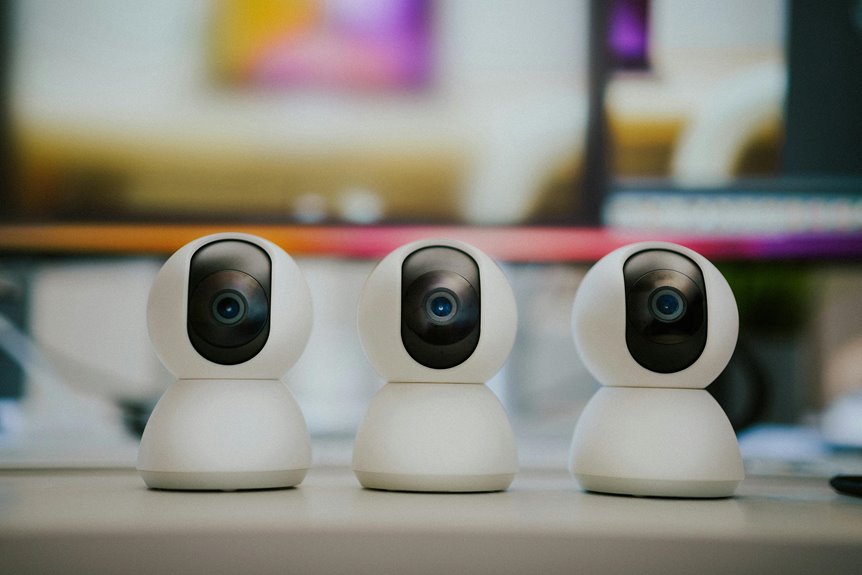
Yes, it’s definitely safer to unplug your external webcam when it’s not in use. Doing so eliminates the risk of unauthorized access and potential spying from hackers. Webcams can be vulnerable due to outdated software or weak passwords, which makes them easy targets for malware. By disconnecting your webcam, you gain control over your privacy and can avoid unwanted surprises. There’s also more to reflect upon regarding security measures and trends that can protect your online space even further.
Key Takeaways
- Unplugging an external webcam eliminates risks of unauthorized access and spying from hackers or malware.
- It enhances security by giving users full control over when the webcam is active.
- Unplugging prevents accidental activation during private moments, avoiding potential embarrassment.
- Regularly unplugging can extend the lifespan of the webcam by reducing wear and tear.
- Experts recommend physical disconnection as an effective method for ensuring webcam safety.
Understanding Webcam Vulnerabilities
When you consider the vulnerabilities of webcams, it’s vital to recognize just how easily they can be exploited. Hackers often use malware to gain unauthorized access to cameras, turning them into spying tools without your knowledge.
Weak passwords and outdated software can make it even easier for attackers to breach your security. You mightn’t think much about your webcam when it’s idle, but it can still be a target.
Even legitimate applications can have flaws, potentially exposing your privacy. Ensuring your webcam’s firmware is updated and employing strong passwords are significant steps to mitigate these risks.
Ultimately, being aware of these vulnerabilities empowers you to take action and protect your personal space effectively.
The Risks of Leaving Webcams Connected
Leaving your webcam connected can expose you to significant privacy concerns.
Hackers often target these devices, putting you at risk for unauthorized access and malware vulnerabilities.
Privacy Concerns
While many people rely on external webcams for virtual meetings and social interactions, they often overlook the potential privacy risks associated with leaving these devices connected.
Unplugging your webcam when not in use can help mitigate these concerns. Here are three key privacy issues to examine:
- Unauthorized Access: Hackers can gain access to your webcam, using it to spy on you without your knowledge.
- Data Misuse: Companies may collect and misuse camera data, leading to unwanted surveillance and targeted advertising.
- Accidental Activation: Even legitimate software can inadvertently activate your webcam, exposing you in private moments.
Malware Vulnerabilities
Even if you think your computer is secure, malware can exploit vulnerabilities in your system to access your connected webcam.
Cybercriminals often use malicious software to gain unauthorized control over devices, including webcams, allowing them to spy on you without your knowledge.
Once installed, this malware can bypass your security measures, leaving your privacy at risk.
Unauthorized Access Risks
When you keep your external webcam connected, you increase the risk of unauthorized access, as cybercriminals can exploit vulnerabilities to gain control. This can lead to serious privacy breaches and unwanted surveillance.
Here are three risks to examine:
- Hacking: Cybercriminals can use malicious software or phishing tactics to gain access to your webcam and spy on you.
- Data Theft: Once hackers take control, they can also access personal files, passwords, and sensitive information stored on your device.
- Reputation Damage: Unauthorized recordings or images can lead to embarrassment or reputational harm if shared without your consent.
Benefits of Unplugging Your Webcam
Unplugging your external webcam offers several benefits, especially when it comes to privacy and security.
First, it eliminates the risk of unauthorized access, ensuring that no one can spy on you without your knowledge. By disconnecting your webcam, you take control over when it’s active, which can help you feel more secure in your personal space.
Unplugging your webcam gives you control over its usage, safeguarding your privacy and ensuring no one can spy on you unknowingly.
Additionally, unplugging can protect your device from potential malware attacks that target webcams. It also reduces the chance of accidental usage during virtual meetings, preventing embarrassing moments.
Moreover, disconnecting your webcam can extend its lifespan, as it helps prevent wear and tear from continuous power supply.
Convenience vs. Security: Finding Balance
When you think about using your external webcam, you face a choice between convenience and security.
On one hand, quickly accessing it for video calls is tempting, but on the other, there’s the risk of unauthorized access if it’s always plugged in.
Striking a balance between these two factors is essential for your peace of mind.
Risk of Unauthorized Access
How often do you consider the risk of unauthorized access when you leave your external webcam plugged in? Many people underestimate this danger, thinking it won’t happen to them.
However, cybercriminals are always on the lookout for vulnerabilities. Here are three risks you should be aware of:
- Malware Installation: Hackers can exploit your webcam by installing malware that allows them to take control without your knowledge.
- Privacy Invasion: With remote access, they can see and hear everything in your vicinity, leading to severe breaches of privacy.
- Data Theft: Unauthorized access can lead to stealing sensitive information, which can be used for identity theft or fraud.
Being aware of these risks can help you decide whether to unplug your webcam when not in use.
Convenience of Quick Use
Considering the risks of unauthorized access often leads to the question of convenience. You want to strike a balance between security and the ability to quickly use your external webcam.
Unplugging it every time can feel inconvenient, especially when you need immediate access for video calls or streaming. When it’s plugged in, you’re ready to go at a moment’s notice, eliminating the hassle of fumbling with cables.
However, this convenience comes with the risk of potential breaches. You might consider using a webcam cover or disabling the camera when it’s not in use. This way, you can enjoy quick access while still addressing your security concerns.
Finding that balance is essential for peace of mind and functionality.
Signs Your Webcam May Be Compromised
Ever wondered if your webcam is under attack? It’s vital to stay vigilant. Here are some signs that your webcam may be compromised:
- Unexpected Indicator Light: If the light next to your webcam turns on without you initiating it, that’s a red flag.
- Unusual Software Activity: Notice any unfamiliar programs running on your computer? They might be accessing your webcam without your permission.
- Increased Fan Noise: If your device’s fan is working harder than usual, it could be trying to cool down from unauthorized activity.
Stay alert for these signs to protect your privacy and guarantee your webcam isn’t being misused.
Taking these indicators seriously can help you safeguard your personal space.
Best Practices for Webcam Safety
What steps can you take to guarantee your webcam remains secure?
First, always cover your webcam when it’s not in use. A simple sticker or a sliding cover can block any unwanted view.
Always ensure your webcam is covered when not in use to prevent any unwanted access or viewing.
Next, keep your software updated, including your operating system and any applications that access the camera. This helps patch security vulnerabilities.
Use strong, unique passwords for your devices and accounts, and enable two-factor authentication whenever possible.
Be cautious about granting camera access to apps and websites; only allow it when absolutely necessary.
Finally, invest in a reputable antivirus program to help detect and prevent malware that could compromise your privacy.
Alternatives to Unplugging: Using Software
While physically unplugging your external webcam is a straightforward way to guarantee privacy, there are software alternatives that can enhance your security without the hassle of disconnecting the device.
Here are a few options you can consider:
- Webcam Privacy Apps: Install software that can toggle your webcam on and off easily, giving you control over its usage.
- Camera Blockers: Use virtual camera blockers that prevent unauthorized access by displaying a black screen or a “no camera” message to applications.
- Permissions Management: Regularly review and restrict app permissions, ensuring only trusted applications have access to your webcam.
These alternatives can effectively safeguard your privacy while keeping your setup hassle-free.
The Role of Firewalls and Antivirus Software
Firewalls and antivirus software play an essential role in protecting your devices from unwanted intrusions.
They act as the first line of defense, stopping potential threats before they can compromise your security.
Understanding how effective these tools are can help you make informed decisions about your digital safety.
Importance of Firewalls
When it comes to protecting your devices from cyber threats, understanding the importance of firewalls is essential. Firewalls act as a barrier between your trusted network and untrusted external networks, helping to keep your data safe.
Here are three key benefits of using firewalls:
- Traffic Monitoring: Firewalls inspect incoming and outgoing traffic, ensuring that only safe data gets through.
- Access Control: They allow you to set permissions, controlling who can access your network and what they can do.
- Threat Prevention: Firewalls can block known threats, such as malware and unauthorized access attempts, before they reach your devices.
Antivirus Software Efficacy
Antivirus software is a critical component of your cybersecurity strategy, especially as it works alongside firewalls to provide extensive protection.
While firewalls monitor incoming and outgoing traffic, your antivirus software scans files and programs for malicious content. It’s vital to keep your antivirus updated to combat the latest threats effectively. Regular scans can detect and remove viruses, malware, and spyware before they cause harm.
However, remember that no software can guarantee 100% protection. Combining antivirus with safe browsing habits and regular software updates enhances your security.
Be cautious about downloading unknown files or clicking suspicious links, as these are common entry points for attacks. Ultimately, a layered approach, including antivirus and firewalls, strengthens your defense against cyber threats.
Personal Experiences and Expert Opinions
While many users feel uneasy about the security risks posed by external webcams, personal experiences and expert opinions shed light on the best practices for safeguarding your privacy.
Many users have shared that unplugging their webcams when not in use gives them peace of mind. Experts agree, emphasizing that physical disconnection is one of the most effective methods to prevent unauthorized access.
Here are three tips to enhance your webcam security:
- Cover the Lens: Use a physical cover or tape to block the camera when it’s not in use.
- Update Firmware Regularly: Keep your webcam’s software up to date to patch vulnerabilities.
- Be Cautious with Apps: Only grant camera access to trusted applications.
Future Trends in Webcam Security Solutions
As technology evolves, you’ll likely see innovative solutions emerging to enhance webcam security. More users are demanding privacy-focused features, leading to advancements in both hardware and software. Solutions like built-in privacy shutters and AI-driven threat detection will soon become standard.
| Trend | Description |
|---|---|
| Encrypted Streams | Guarantees your video data is secure. |
| Facial Recognition | Only allows recognized users access. |
| Automatic Shutter | Closes the camera when not in use. |
You’ll also notice increased integration with smart home devices, allowing for better control over when your webcam is active. With these trends, securing your privacy will be simpler and more effective than ever.
Frequently Asked Questions
Can Unplugging a Webcam Damage the Device?
Unplugging a webcam typically won’t damage the device. Just guarantee you handle it gently and avoid yanking the cable. Regular maintenance can keep your webcam functioning well, so treat it with care when disconnecting.
How Often Should I Unplug My Webcam?
You should unplug your webcam whenever you’re not using it, especially if you’re concerned about privacy. Regularly disconnecting helps prevent unauthorized access and keeps your device safe, so make it a habit to unplug.
Do All Webcams Have the Same Security Risks?
Think of webcams like open windows; not all let in the same risks. Some models have better security features, while others might leave you vulnerable. Always research before choosing one to protect your privacy effectively.
Can I Still Use My Webcam While Unplugged?
You can’t use your webcam while it’s unplugged. Unplugging it cuts off power and data transmission, meaning it won’t function until you reconnect it. Always verify it’s securely plugged in before trying to use it.
Are There Webcam Models More Secure Than Others?
Some webcam models offer better security features, like built-in privacy shutters or advanced encryption. Research brands, read reviews, and look for models that prioritize user privacy to guarantee you’re choosing a safer option.