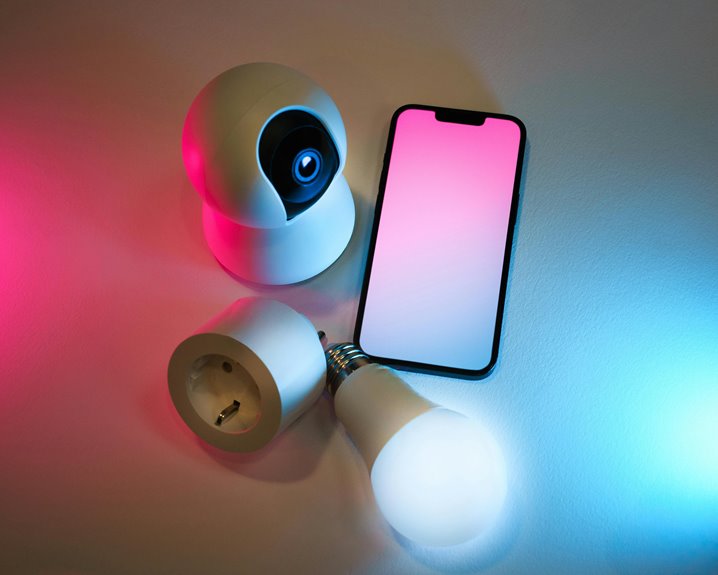
When apps request webcam access, you should check for permissions that make sense with the app’s purpose. Video conferencing tools often need camera access, while unrelated apps shouldn’t. Be wary of requests for excessive permissions, like background monitoring or access to all files, and ascertain there’s a clear privacy policy. Limit webcam access to trusted apps only. Keep exploring the best practices for managing your webcam permissions and enhancing your privacy further.
Key Takeaways
- Assess whether the app’s purpose justifies the need for webcam access, especially for non-video conferencing apps.
- Check for excessive permissions, such as access to all files or location tracking, which may indicate privacy concerns.
- Review the app’s privacy policy to ensure it clearly outlines data usage and protection measures.
- Limit webcam access to only those apps that require it for essential functionality, enhancing your privacy.
- Regularly audit your device’s settings to revoke access from unused or suspicious applications.
Understanding Webcam Permissions
When you use a webcam, understanding permissions is crucial for your privacy and security.
Webcam access can allow apps to view and record your surroundings, so it’s important to know who’s asking for permission and why. Always check which applications request access; not all need it to function properly.
Understanding which apps request webcam access is essential for your privacy; not every app needs this permission to operate.
For instance, video conferencing tools typically require webcam access, but a simple note-taking app shouldn’t. Pay attention to the context—why does the app need your webcam? If it seems unnecessary, think twice before granting access.
Regularly review your settings, and consider disabling webcam access for apps you don’t frequently use. Taking these steps helps protect your personal information and keeps your digital life secure.
Common Permissions Requested by Apps
When you install an app, you’ll often see requests for camera and microphone access.
These permissions are essential for features like video calls and voice recordings.
Understanding why these permissions are needed can help you make informed decisions about what to allow.
Camera Access Permissions
Have you ever wondered why certain apps request access to your camera? Many apps ask for this permission to enhance user experience, enabling features like video calls, photo capturing, or augmented reality.
When you grant camera access, you’re allowing the app to utilize your device’s camera for these functions. However, it’s essential to reflect on whether the app genuinely needs this access.
Always check the app’s purpose and read reviews to verify it’s reputable. If an app asks for camera access but doesn’t seem to require it for its core functions, think twice before allowing it.
Protecting your privacy should be a priority, so only grant permissions to apps you trust and use frequently. Stay informed and keep your data safe!
Microphone Access Permissions
Why do so many apps ask for microphone access? It’s often because they need to provide voice features, such as voice calls, voice commands, or audio recording.
When you install an app that requests this permission, consider what functionality you’ll actually use.
Apps like social media platforms, messaging services, and voice assistants typically require microphone access to enhance user experience.
Before granting permission, check if the app genuinely needs it for core features.
If an app isn’t transparent about why it needs your microphone, or if it requests access without a clear purpose, it’s a red flag.
Always prioritize your privacy—only allow access if you’re comfortable and truly understand the app’s intentions.
Red Flags: Permissions to Watch Out For
When you’re granting permissions to apps, keep an eye out for red flags that could signal trouble.
Excessive data access, background activity monitoring, and unclear privacy policies should raise concerns.
Protect your privacy by staying informed and cautious about the permissions you approve.
Excessive Data Access
While you might trust an application, it’s crucial to scrutinize the permissions it requests, especially when it comes to webcam access. Excessive data access can be a significant red flag.
Here are some permissions you should watch out for:
- Access to All Files: If an app asks to access your entire file system, it might be overstepping boundaries.
- Location Tracking: Be cautious if an app requests your location without a clear need for it.
- Audio Recording: Webcam apps should only need video access; asking for audio can indicate a lack of respect for your privacy.
Always consider whether the requested permissions align with the app’s purpose.
Protecting your privacy starts with being vigilant about what you allow.
Background Activity Monitoring
Even if an app seems trustworthy, you should be wary of permissions that allow for background activity monitoring. These permissions can enable the app to access your webcam or microphone even when you’re not actively using it.
This poses a significant privacy risk, as it could lead to unauthorized recording or surveillance without your knowledge. Look out for apps that request access to your device’s camera or microphone while running in the background.
If an app doesn’t need that capability for its core functionality, think twice before granting it. Always prioritize your privacy by checking app reviews and permissions carefully.
If something feels off, trust your instincts and consider alternatives that respect your privacy more.
Unclear Privacy Policies
Unclear privacy policies can leave users vulnerable, especially when apps request permissions that seem excessive or unnecessary.
When you encounter vague terms, it’s a red flag. Here are three common signs to watch out for:
- Broad Access: If an app asks for permission to access your camera and microphone without clear justification, be cautious.
- Lack of Transparency: If the policy doesn’t explain how your data will be used or stored, it’s a warning sign.
- Frequent Updates: Apps that frequently change their privacy policies might be trying to obscure their true intentions.
Always scrutinize these aspects before granting access.
Protecting your privacy starts with being informed and cautious about the apps you choose.
Assessing the Necessity of Webcam Access
When you consider granting webcam access, it’s important to evaluate whether it truly serves a purpose for your needs. Ask yourself what the app’s intended function is and how webcam access enhances that experience.
For instance, if it’s a video conferencing tool, webcam access is likely necessary. However, if it’s a random game or a productivity app, you should question why they need to see you.
Assess your comfort level with sharing your image, especially if the app’s privacy policy is vague. Remember, not every app requires this access to perform its core functions.
Tips for Managing Webcam Permissions
To effectively manage webcam permissions, start by regularly reviewing which apps have access to your camera. This simple step can help you maintain your privacy and security.
Here are some tips to keep in mind:
- Limit access: Only grant permission to apps that absolutely need it for their functionality.
- Check settings: Regularly explore your device’s privacy settings to adjust permissions as necessary.
- Uninstall unused apps: If you find apps you no longer use, remove them to prevent any unauthorized access.
Best Practices for Webcam Security
Keeping your webcam permissions in check is just the first step in guaranteeing your online safety. Always cover your webcam when it’s not in use, whether with a physical cover or a piece of tape. This simple act blocks unauthorized access.
Regularly update your software and antivirus programs to protect against vulnerabilities that hackers might exploit. Be cautious about clicking links in emails or messages from unknown sources, as these can lead to malware.
When joining video calls, make sure you’re using a secure platform and avoid sharing sensitive information. Finally, educate yourself about phishing scams and stay informed about the latest security threats.
Frequently Asked Questions
How Can I Find Out Which Apps Have Accessed My Webcam?
Finding out which apps accessed your webcam is easier than discovering a hidden treasure! Check your device’s privacy settings or security software, where you can often see a log of recent webcam activity.
Can Malicious Apps Bypass Permission Settings for Webcam Access?
Yes, malicious apps can sometimes exploit vulnerabilities to bypass permission settings. It’s essential to keep your operating system updated and only download software from trusted sources to minimize the risk of unauthorized webcam access.
What Should I Do if I Suspect Unauthorized Webcam Access?
If you feel like someone’s peeking through a keyhole, act fast. Disconnect your webcam, check your settings, run a malware scan, and change passwords. Trust your instincts; they’re your best shield against lurking eyes.
Are There Specific Operating Systems That Handle Webcam Permissions Better?
Some operating systems, like macOS and Windows 10, offer more robust webcam permissions management than others. You should regularly check these settings to guarantee your privacy and security aren’t compromised by unauthorized access.
How Often Should I Review App Permissions for Webcam Access?
You should review app permissions for webcam access as frequently as a hawk scans the sky. Regular checks guarantee your privacy stays intact, and any suspicious apps don’t sneak into your personal space unnoticed.