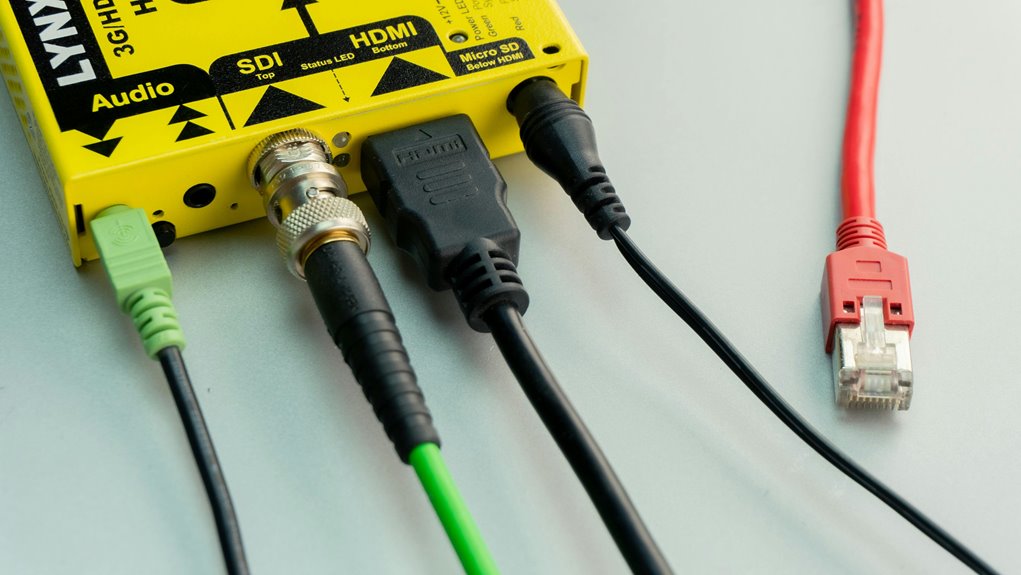
Smart plugs and effective cable management are a match made in home automation heaven. With smart plugs, you can control your appliances remotely and schedule their operation, making life easier and clutter more manageable. Pairing these plugs with proper cable organization not only reduces tangles but also enhances your space's aesthetics. By integrating both, you'll enjoy a streamlined environment that's both functional and visually appealing. Discover how to set up this perfect pair for your home!
Key Takeaways
- Smart plugs simplify cable management by allowing remote control of appliances, reducing the need for multiple visible cords.
- Integrating smart plugs enables users to schedule devices, minimizing clutter from frequently used electronics.
- Use cable management techniques, like bundling and labeling, alongside smart plugs for a cleaner, more organized setup.
- Smart plugs help monitor energy usage, encouraging efficient cable management by highlighting unnecessary or rarely used devices.
- Combining smart plugs with cable organizers enhances convenience, creating a streamlined and aesthetically pleasing environment.
The Benefits of Smart Plugs in Home Automation
As you embrace home automation, smart plugs can significantly enhance your living space by making everyday tasks easier and more efficient.
With these devices, you can control your appliances remotely through your smartphone or voice assistant, allowing you to turn lights on or off, schedule devices, and save energy effortlessly.
Control your appliances remotely with smart plugs for effortless scheduling, energy savings, and convenience at your fingertips.
Imagine arriving home to a well-lit environment or brewing your morning coffee before you even get out of bed.
Smart plugs also help you monitor energy usage, giving you insights into which devices consume the most power.
Plus, they're easy to install and compatible with most appliances.
Understanding Cable Management Basics
Smart plugs can make your life easier, but without proper cable management, those conveniences can quickly become cluttered chaos.
To keep your space organized, start by identifying the cables you need. Group similar cables together, making it easier to manage them. Use cable ties or clips to bundle cords and prevent tangling. Label each cable to easily identify their purpose, saving you time and frustration later.
Consider the layout of your space; run cables along walls or under furniture to minimize visibility. Invest in cable organizers or boxes to conceal unsightly cords.
Creative Ways to Organize Cords and Cables
Five creative ways to organize cords and cables can transform your cluttered space into a streamlined haven.
First, use cable clips along your desk or wall to keep cords tidy and accessible.
Utilize cable clips on your desk or wall to maintain a neat and organized cord setup.
Second, consider employing binder clips to secure cables to the edge of your desk, preventing them from falling to the floor.
Third, a pegboard can provide a customizable solution for hanging cables and power strips.
Fourth, repurpose toilet paper rolls by wrapping cords inside them, making each one easy to find.
Finally, label each cord with tags to quickly identify them when needed.
Integrating Smart Plugs Into Your Cable Management System
While managing your cables, integrating smart plugs can significantly enhance both functionality and organization. These devices allow you to control your electronics remotely, reducing clutter and making your setup more efficient. By pairing smart plugs with cable management solutions, you create a seamless system that works for you.
Here's a quick comparison of different smart plug features:
| Feature | Description |
|---|---|
| Remote Control | Control devices from your phone |
| Scheduling | Set timers for automatic use |
| Energy Monitoring | Track energy consumption |
Using smart plugs alongside effective cable management not only tidies up your space but also simplifies your daily routines. Embrace this smart solution and enjoy a more organized environment!
Tips for Maintaining a Clutter-Free Environment
To maintain a clutter-free environment, it's essential to develop habits that promote organization and simplicity.
Start by regularly decluttering your space; set aside time each week to assess items you no longer need. Utilize storage solutions like baskets and shelves to keep things organized, and label containers for easy access.
Incorporate smart plugs to control devices and reduce visible wires, creating a cleaner look.
Make it a habit to put things back in their designated spots after use, preventing items from piling up.
Lastly, adopt a minimalist mindset—only keep what truly adds value to your life.
Frequently Asked Questions
Can Smart Plugs Work With Non-Smart Devices?
Yes, smart plugs can work with non-smart devices. You just plug your device into the smart plug, and it'll let you control it remotely. It's a simple way to add convenience to your routine.
Are All Smart Plugs Compatible With Voice Assistants?
Not all smart plugs are compatible with voice assistants. Before purchasing, check the product specifications to ensure it works with your preferred voice assistant. This way, you'll avoid any compatibility issues down the line.
How Many Devices Can a Smart Plug Handle?
Most smart plugs can handle one device at a time, but some models allow multiple outlets. Check the specifications, as the wattage limit varies, ensuring you don't overload the plug with high-demand devices.
Can Cable Management Solutions Be Used Outdoors?
Yes, you can use cable management solutions outdoors. Just ensure they're designed for outdoor conditions, as weather-resistant materials will protect your cables from moisture and UV damage, keeping your setup safe and organized.
Do Smart Plugs Consume Electricity When Not in Use?
Yes, smart plugs do consume a small amount of electricity when not in use, often referred to as standby power. You might not notice it, but over time, it can add up to your energy bill.