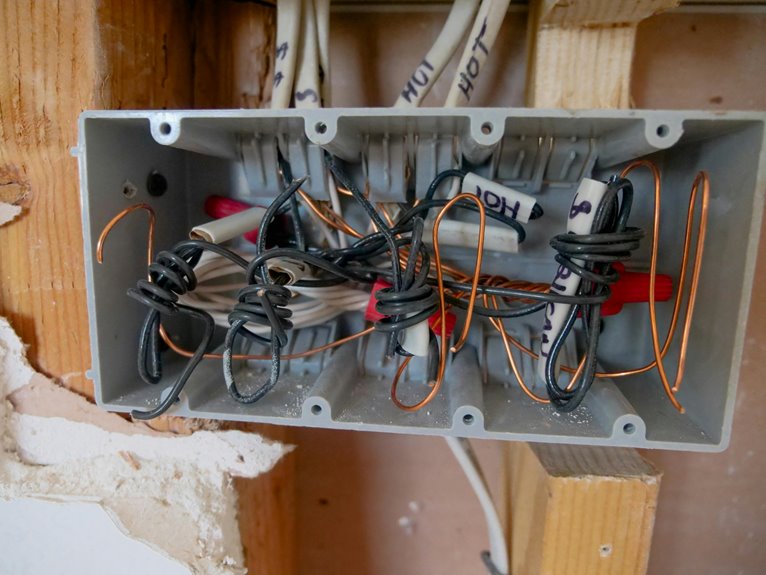
Using a cable management box the wrong way can lead to chaos and hazards. Overstuffing it creates tangles and makes it hard to find what you need. Ignoring ventilation risks overheating and fire. Not using compatible cables can damage your devices. Plus, skipping labels makes troubleshooting a nightmare. Leaving loose ends can cause safety issues too. If you want to avoid these common pitfalls and improve your setup, you might want to explore what else to watch out for.
Key Takeaways
- Overstuffing the box creates chaos, making it difficult to identify and access cables while risking damage and tangles.
- Ignoring ventilation needs can lead to heat buildup, posing fire risks and damaging components within the box.
- Using incompatible cables increases the risk of malfunction, overheating, and data loss, while neglecting to label cords complicates troubleshooting.
- Failing to secure loose ends results in tangled cables that can cause safety hazards and waste time searching for the right cord.
- Poor aesthetic management leads to a cluttered environment, increased frustration, and potential damage to equipment due to disorganization.
Overstuffing the Box
One common mistake people make with cable management boxes is overstuffing them. You might think cramming as many cables as possible into the box is efficient, but it can create chaos instead.
When you pack it too tightly, you risk damaging the cables or causing tangles that defeat the purpose of organization. It’s essential to keep the box only partially filled to maintain order and accessibility.
This way, you can easily identify which cables belong where, making future adjustments simpler. Plus, leaving some space allows for any additional cables you might need to add later.
Ignoring Ventilation Needs
While it may seem like a minor detail, ignoring ventilation needs in your cable management box can lead to serious problems.
Heat can build up quickly, especially if you’re housing chargers or power strips inside. When devices overheat, it can damage components, reduce efficiency, or even pose a fire risk.
To keep everything safe, make sure your box has adequate airflow. Consider using a box designed with vents or leaving space for air circulation.
Don’t cram too many cables or devices in there; they need room to breathe. Remember, a little planning goes a long way in preventing potential hazards.
Prioritize ventilation, and you’ll keep your devices running smoothly and safely.
Using Non-Compatible Cables
When managing your cables, using non-compatible cables can lead to frustrating and potentially damaging situations.
You may think it’s a small issue, but the consequences can be significant. Here’s what you might face:
- Device Malfunction: Your electronics mightn’t work properly, leaving you frustrated and without essential connectivity.
- Fire Hazards: Incompatible cables can overheat, posing a serious fire risk in your home or office.
- Data Loss: Using the wrong cables can lead to data corruption or loss, impacting your important files.
- Increased Costs: Replacing damaged equipment or cables adds unnecessary expenses to your budget.
Avoid these pitfalls by ensuring you only use compatible cables in your cable management box.
Your future self will thank you!
Neglecting to Label Cords
If you neglect to label your cords, troubleshooting becomes a real headache.
You’ll find yourself frustrated as you try to figure out which cable goes where, wasting time and effort. A simple label can save you from the chaos and confusion down the line.
Troubleshooting Becomes Difficult
Neglecting to label cords can turn troubleshooting into a frustrating experience. When something goes wrong, you might find yourself tangled in confusion instead of fixing the issue quickly.
Without clear labels, you’ll waste time, increasing your stress levels and making the problem seem even more overwhelming.
Here are four reasons why labeling cords is essential:
- Identify issues faster: You won’t have to guess which cord belongs to what device.
- Save time: Instead of tracing cords back to their sources, you can address problems immediately.
- Minimize errors: You’ll reduce the risk of unplugging the wrong device.
- Enhance organization: Clearly labeled cords keep your space tidy and manageable.
Taking a moment to label now can save you hours of hassle later!
Increased Frustration Levels
Failing to label your cords can lead to a spike in frustration, especially during those moments when you need to troubleshoot an issue. You might find yourself pulling out one cord after another, trying to identify which one belongs to your printer or gaming console.
This chaos not only wastes your time but also heightens your stress levels. Imagine being late for a meeting because you can’t find the right charger among a tangled mess. By neglecting to label your cords, you’re setting yourself up for unnecessary headaches.
A simple label can save you from this hassle, allowing you to quickly locate what you need and keep your space organized. Don’t let confusion take over—label those cords!
Failing to Secure Loose Ends
When you’re managing cables, securing loose ends is essential.
Failing to take into account cable length, weight limits, and overcrowding can lead to tangles and damage.
Let’s explore how these issues can impact your setup and what you can do to avoid them.
Inadequate Cable Length Management
While it might seem harmless to leave loose cable ends dangling around, inadequate cable length management can quickly lead to a tangled mess.
Not only does this create an unsightly situation, but it can also cause frustration and even damage to your equipment. You might find yourself in a bind, literally!
Here are four reasons to secure those loose ends:
- Safety hazard: Tangled cables can trip you or others, leading to accidents.
- Equipment damage: Loose cables can easily get pulled or yanked, risking breakage.
- Time-wasting: Searching for the right cable in a jumbled mess can eat up precious time.
- Aesthetic appeal: Neatly managed cables enhance your space’s overall look and feel.
Take the time to manage your cables properly!
Ignoring Cable Weight Limits
If you overlook cable weight limits, you risk not only damaging your cables but also jeopardizing your devices. When cables hang loosely and exceed their limits, they can become tangled or even snap, leading to costly repairs or replacements.
To guarantee proper organization, secure loose ends and be mindful of the weight each cable can handle. Here’s a quick reference:
| Cable Type | Weight Limit (lbs) |
|---|---|
| Power Cords | 5 |
| USB Cables | 2 |
| HDMI Cables | 3 |
| Ethernet Cables | 4 |
Overcrowding the Management Box
Overcrowding your cable management box can lead to chaos, especially if you neglect to secure loose ends.
When you stuff too many cables inside without organization, you’re setting yourself up for frustration. Imagine trying to find a specific cable in a tangled mess!
Here are some consequences of overcrowding:
- Increased Risk of Damage: Cables can fray or break, leading to costly replacements.
- Fire Hazard: Overheated wires can ignite if they’re packed too tightly.
- Time Wasted: Searching for a cable can waste precious time you could spend on other tasks.
- Stress and Anxiety: A cluttered space can heighten stress, affecting your productivity.
Keep your cables secure and organized for a more peaceful environment!
Using the Wrong Size Box
Choosing the right size cable management box is essential for maintaining an organized space, as a box that’s too small can lead to tangled cords and increased frustration.
On the other hand, a box that’s too large can waste space and make it harder to find what you need. You want a box that fits your cables comfortably without overcrowding, allowing for easy access and airflow.
Measure your cords before purchasing, and consider how many cables you need to store. A well-sized box keeps your area tidy, prevents damage to cables, and reduces the risk of accidents.
Skipping Regular Maintenance
Regularly maintaining your cable management box is essential for keeping your space organized and functional.
Neglecting this task can lead to chaos and frustration, making it harder to find what you need.
Here are four reasons you shouldn’t skip maintenance:
- Tripping Hazards: Tangled cables can create dangerous obstacles in your home.
- Overheating: Dust buildup can block ventilation, causing overheating and potential damage to your devices.
- Visual Clutter: A messy box detracts from your space’s aesthetic, making it feel chaotic.
- Wasted Time: Searching through tangled cords wastes precious time that could be spent on more important tasks.
Hiding Important Connections
Neglecting maintenance not only leads to tangles and clutter but can also cause you to overlook important connections. When you tuck away cables in a management box, don’t forget to keep essential connections accessible. Otherwise, you might end up with a mess when you need to troubleshoot or replace equipment.
Consider the following connections that require your attention:
| Connection Type | Importance Level | Maintenance Tip |
|---|---|---|
| Power Cables | High | Check for frays or damage |
| HDMI Cables | Medium | Guarantee secure connections |
| USB Cables | Medium | Label for easy identification |
| Ethernet Cables | High | Test for speed regularly |
Overlooking Aesthetic Considerations
How can you create a visually appealing space while managing your cables? Overlooking aesthetic considerations when using a cable management box can lead to a cluttered and uninviting environment.
It’s essential to think beyond functionality. Here are four things to keep in mind:
- Color Coordination: Choose a cable box that matches your decor to enhance the overall look.
- Placement: Position the box where it’s discreet yet easily accessible, avoiding visibility near high-traffic areas.
- Material Matters: Opt for materials that complement your furniture, like wood or sleek metal.
- Personal Touch: Consider adding decor elements on top of the box, like plants or books, to make it part of your design rather than an eyesore.
Frequently Asked Questions
Can I Use a Cable Management Box Outdoors?
You shouldn’t use a cable management box outdoors unless it’s specifically designed for that environment. Most boxes aren’t waterproof or UV-resistant, which can lead to damage from moisture and sun exposure, harming your cables inside.
What Materials Are Best for a Cable Management Box?
Think of your cable management box as a sturdy fortress. You’ll want it made of durable materials like plastic or metal, ensuring it protects your cables from wear and tear, keeping your space organized and functional.
How Often Should I Clean My Cable Management Box?
You should clean your cable management box every few months to prevent dust buildup and maintain airflow. Regularly check for any tangled cables or debris, ensuring it stays organized and functions efficiently.
Are There Eco-Friendly Cable Management Options Available?
Isn’t it invigorating to contemplate eco-friendly cable management options? You’ll find sustainable materials like bamboo or recycled plastics that not only organize your cables but also minimize environmental impact, making your space both tidy and green.
Can Cable Management Boxes Damage Cords Over Time?
Yes, cable management boxes can damage cords over time if they trap heat or moisture. Make sure you regularly check your cords, ensuring they’re not crammed in tight spaces, which can lead to wear and tear.